Hear it. See it. Believe it.
High fidelity, visible at every stage.
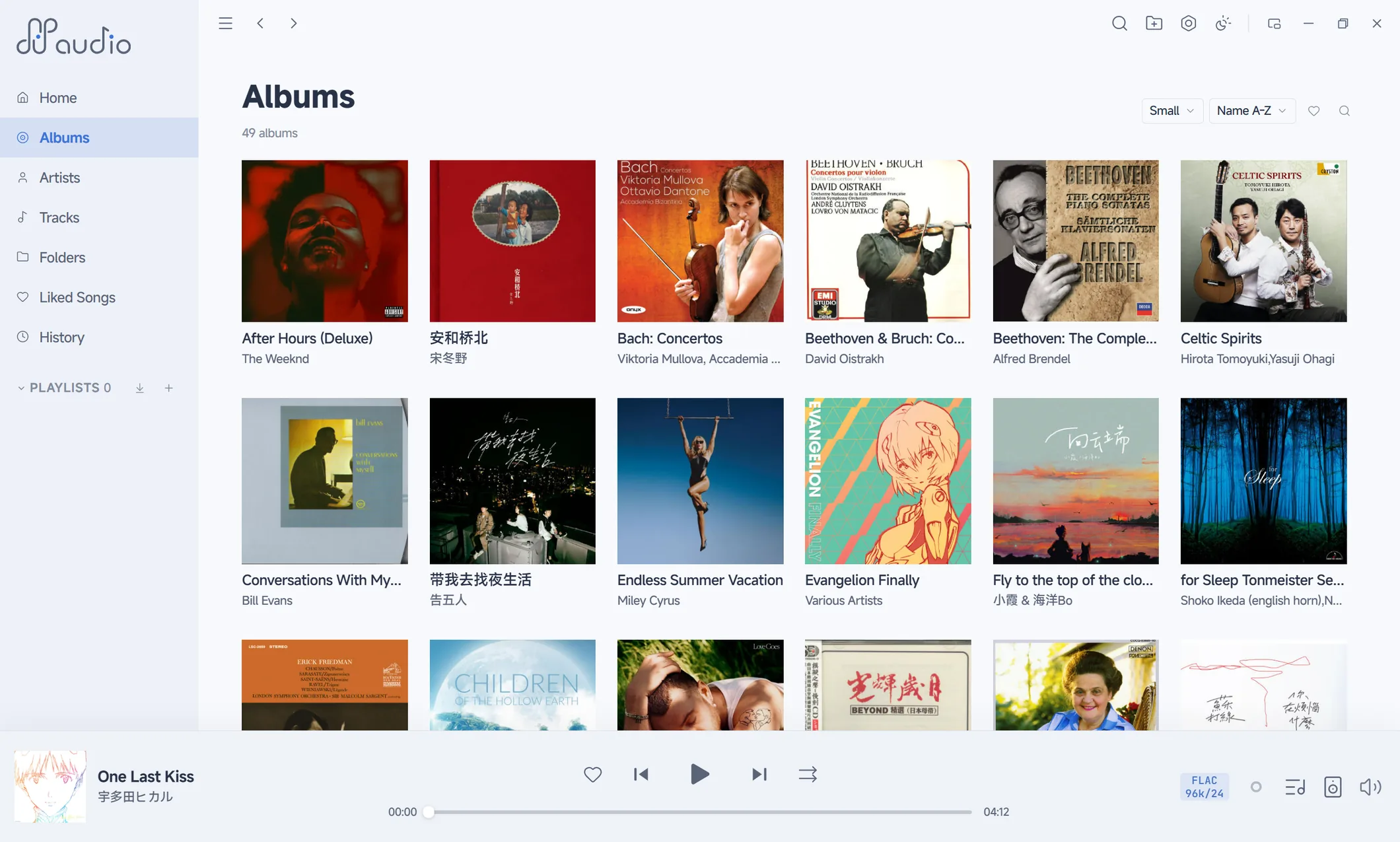
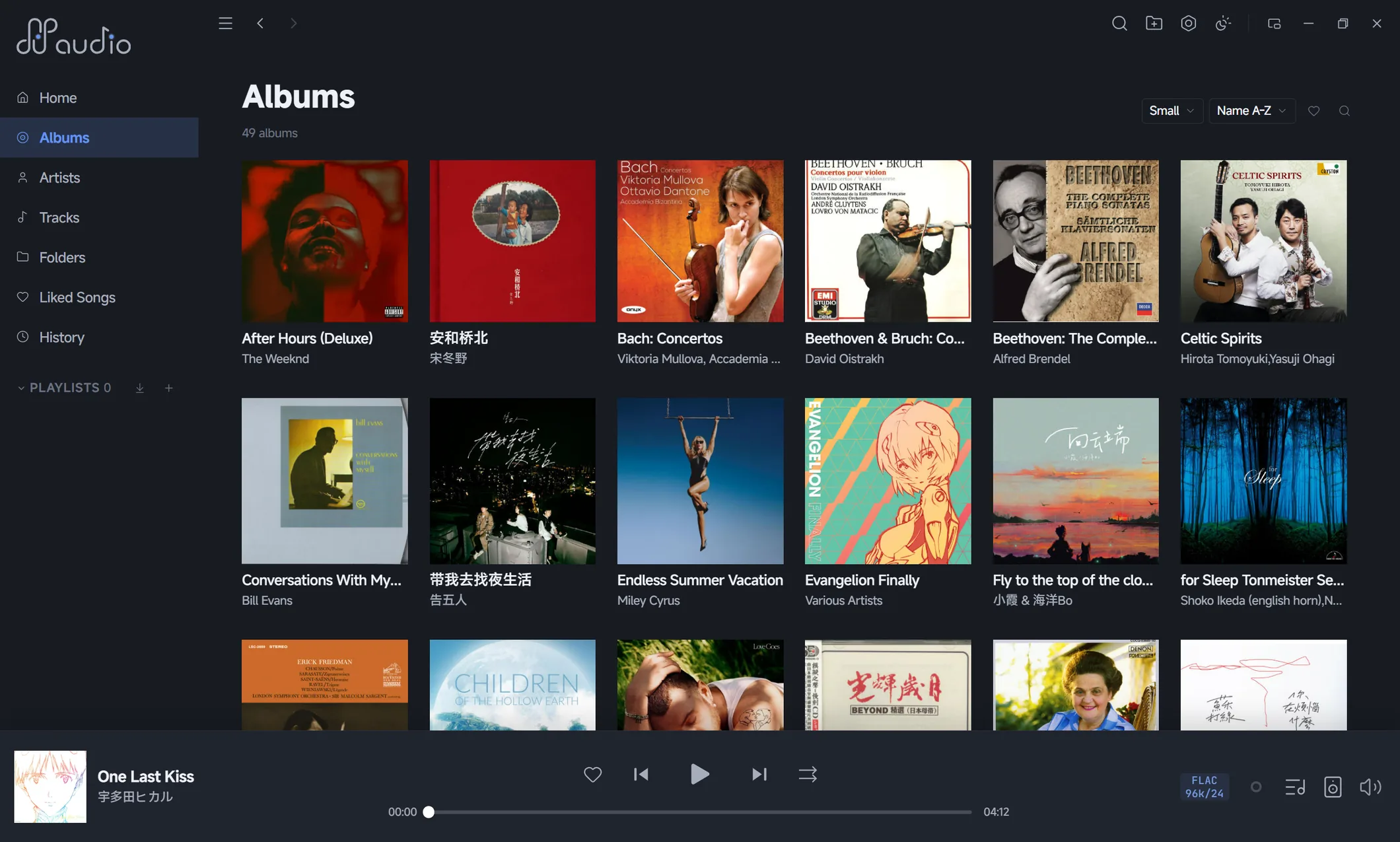
Every player claims to be lossless.
ffaudio lets you check.
At a Glance
Bit-Perfectbit for bit to the DAC
A verdict, on the spotSignal Path
A signal path you can verify
Open the signal-path panel and every stage is in plain sight: decoding, volume, DSD handling, sample-rate and bit-depth conversion, output format negotiation. The verdict is a badge, right there.
Illustration · PCM, bit-exact
Bit-Perfectaudio data reaches the DAC bit for bit, unmodified
Illustration · native DSD passthrough
Bit-Perfectaudio data reaches the DAC bit for bit, unmodified
Illustration · same panel, with DSP engaged
DSP processedevery intervening stage is shown, with the reasons listed
Resampling happens inside the app, already aligned to the system mix rate. The system resampler is never used.
Stylized illustrations, not UI screenshots; stage names and verdict wording are taken from the actual in-app signal-path view.
Five verdicts, five halo colors
The in-app badges and halos share one palette. The classification is based on what happened to the signal after it left the source file:
- Bit-Perfect · gold
Audio data reaches the DAC bit for bit, unmodified.
- Lossless conversion · purple
Numerically reversible container and format changes (e.g. 16-bit carried in a 32-bit container, format normalization). Sample values untouched.
- Rate-domain conversion · cyan
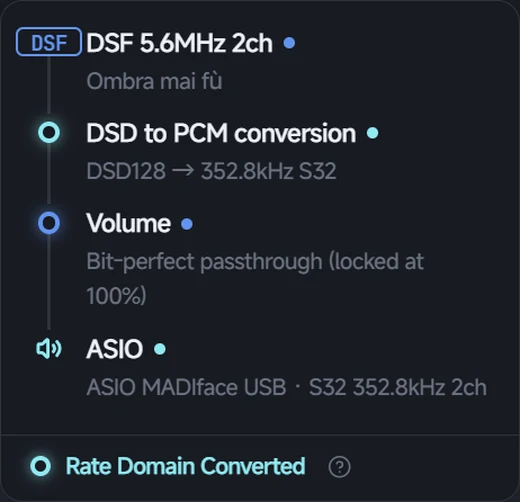
Sample-rate conversion or DSD2PCM: the signal is reconstructed in another rate domain, with no subjective voicing.
- DSP processed · magenta
Equalizer, crossfeed, convolution, software volume: active processing that deliberately changes the sound.
- Unknown · gray
When the path state cannot be proven, it is labeled unknown. No guessing, no gloss.
No assumptions
The Bit-Perfect badge lights up only when audio data truly reaches the DAC bit for bit. Change one setting that affects the sound and the badge changes on the spot, with every reason listed.
No blind trust
The ASIO output rate is read back from the driver, not remembered from the request. If an external clock overrides the rate, the panel shows the override.
No compromises
In WASAPI shared mode, resampling happens inside the app with a high-precision SRC, aligned to the system mix rate. A dedicated diagnostic states whether the system resampler was bypassed. When it cannot be proven, it reads Unknown.
Three DSD modes, one track
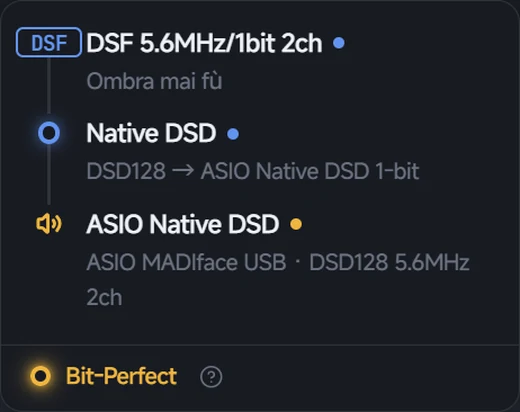
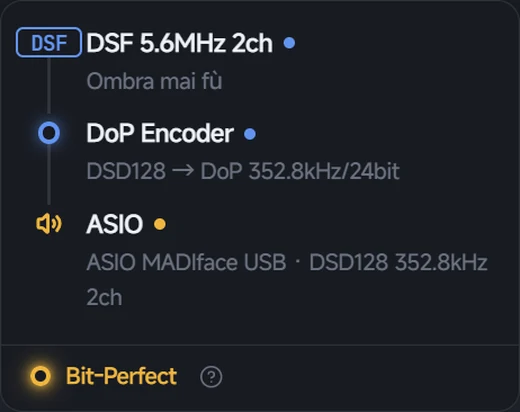
Same DSF, same DAC — only the playback mode changes. The panel rewrites itself stage by stage, and the badge follows.
Native DSD
DoP
DSD2PCM
Output & Formats
Output & format support
The output rate follows the track: when the format changes, the device is re-initialized at the track's native format; consecutive tracks in the same format play gaplessly. No global fixed-rate resampling.
Output backends
| Backend | Notes |
|---|---|
| ASIO | Exclusive passthrough with native DSD output; the effective rate is read back from the driver |
| WASAPI Exclusive | Exclusive output, bypassing the system mixer |
| WASAPI Shared | Shared mode for any device. Resampling is done in-app with a high-precision SRC aligned to the system mix rate, bypassing the system resampler, with a diagnostic to verify it |
DSD playback
| Mode | Notes |
|---|---|
| Native DSD | Raw DSD bitstream over ASIO, never entering the PCM domain |
| DoP | Standard DSD-over-PCM framing for DoP-capable devices |
| DSD2PCM | Multistage FIR cascade, or a single-stage Direct 641-tap filter (four low-pass cutoffs); loads custom FIR coefficient files (.txt / .bin); F32 / F64 precision |
Formats
- FLAC
- MP3
- WAV
- AAC
- ALAC / M4A
- AIFF / AIF
- APE
- DSF
- DFF
- SACD ISO with DST decoding · stereo
DSD supported up to DSD512 (22.6 MHz).
CUE & archives
CUE sheets
Single-file album images with a .cue are split into individual tracks. Play, search, and queue them directly, or export per-track FLAC.
ZIP import
Audio and CUE inside ZIP archives are discovered during scanning and imported automatically. No manual extraction needed.
Library
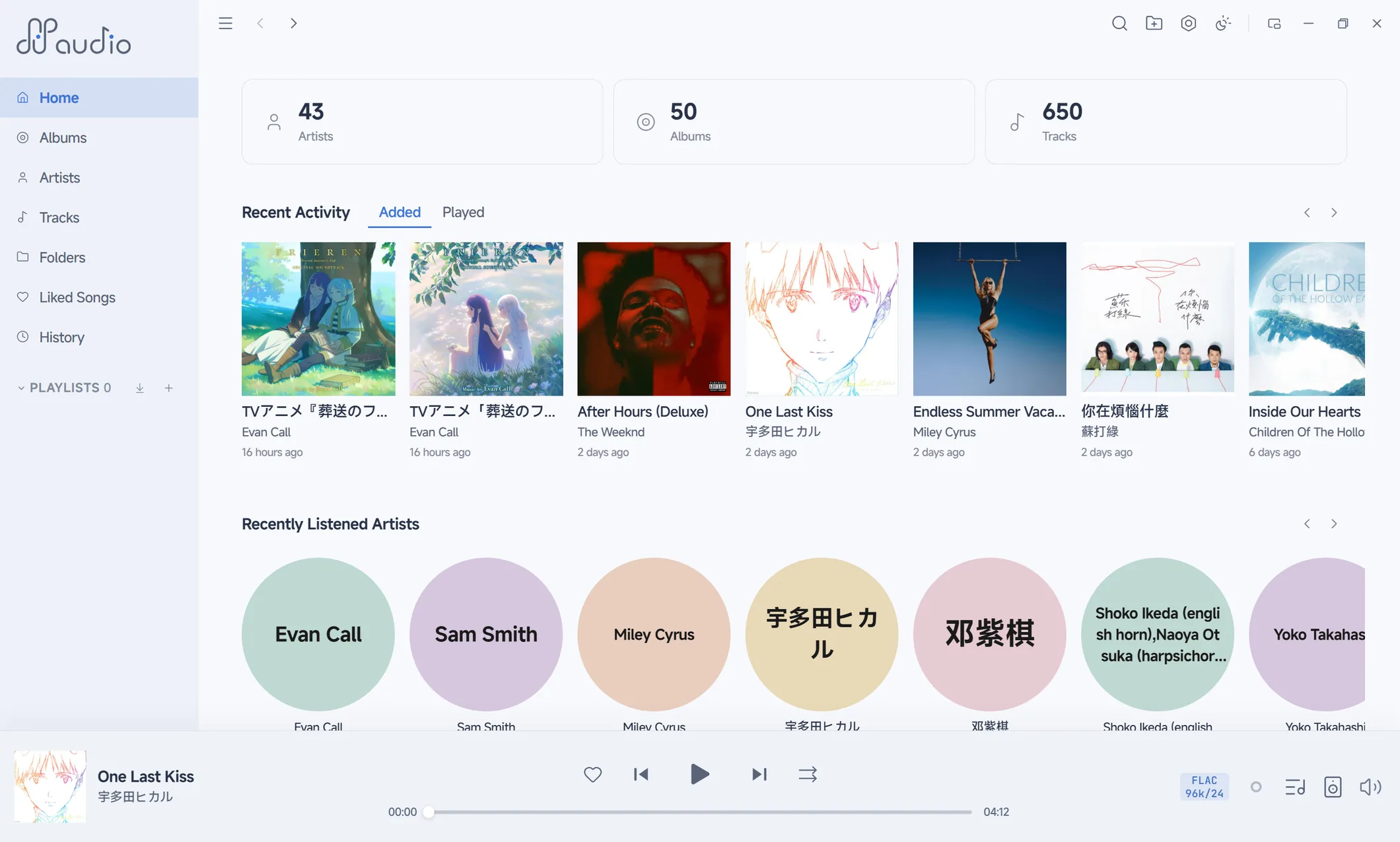
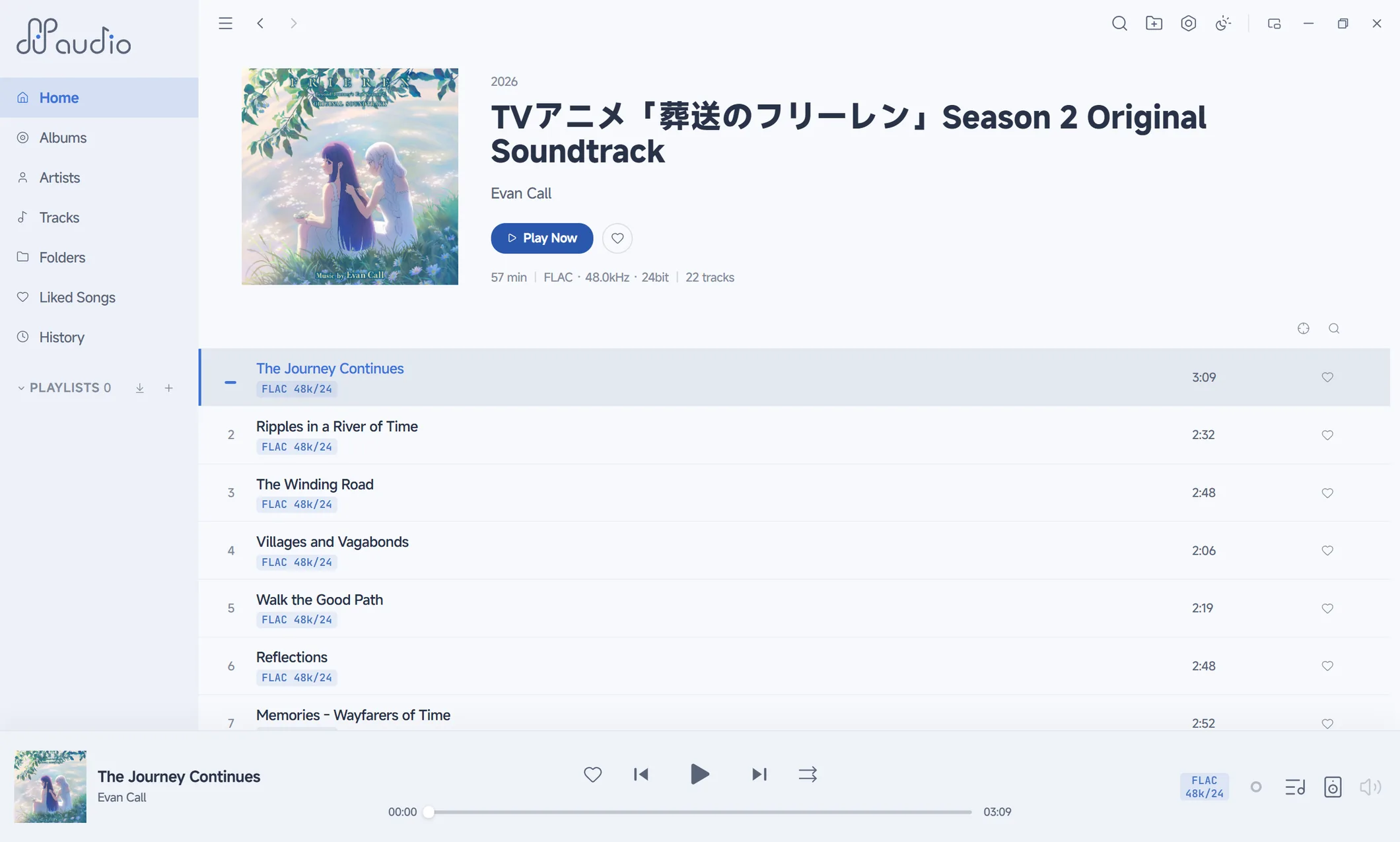
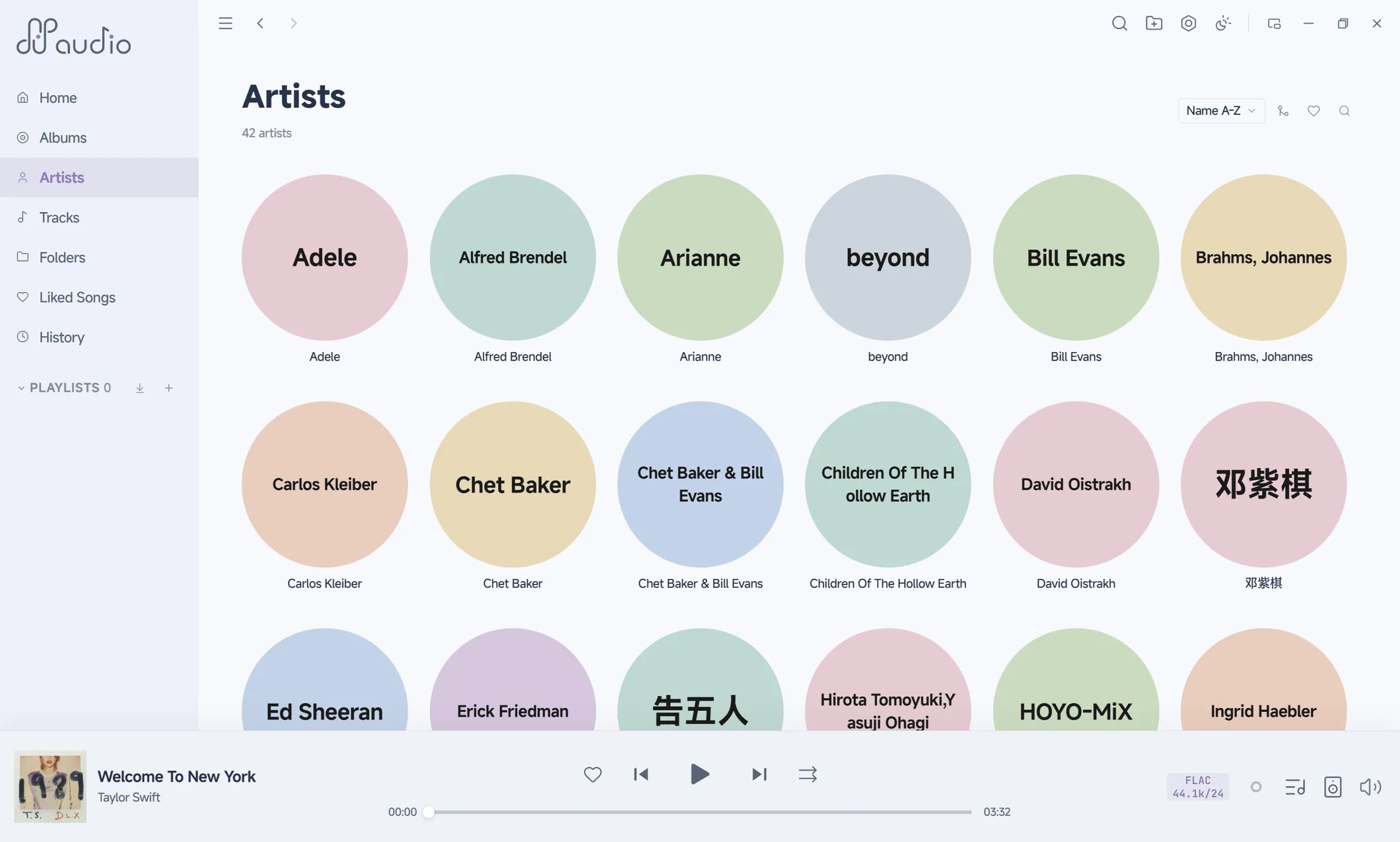
A library that takes itself seriously
Smart playlists
Rule-driven collections: combined conditions, nested groups, ordering. Change the rules and the list follows.
Search DSL
Query the library precisely with combined conditions:
artist:"Miles Davis" year:>2000 sr:96000
Waveform seek bar
The seek bar is the waveform. Peaks precomputed and cached.
CUE → FLAC export
Split single-file album images into per-track FLAC by CUE sheet, with filename templates and conflict pre-checks.
Batch tag editing
Including classical-music fields: work, movement, conductor, ensemble, soloists.
Artist relationship graphexperimental
Collaboration, composition, conducting, and ensemble relations visualized, with community and heat views. Off by default; enable in settings.
CJK tag repair
Old rips often carry GBK or Big5 tags that display as garbage. ffaudio detects the original encoding and puts the right characters back.
Beta
Download the beta
Download ffaudio beta
Notes
- This is beta software. Features and stability are still being refined; do not run it against the only copy of your library metadata.
- Portable build only, for now. Unzip and run. No installer.
- About the "Unknown publisher" prompt: the program carries no Windows code signature. The reason is simple: certificates are expensive, and I have not bought one yet. On first run, SmartScreen will show "Windows protected your PC". Click More info, then Run anyway.
- On open-sourcing: this is my first large project — the comments and repository hygiene are still immature. Opening the source is deferred until it ships alongside the future macOS / Linux builds.
Requirements
System requirements
- Operating system
- Windows 10 / 11 (x64)
- ASIO output
- Requires the device vendor's ASIO driver
- WASAPI output
- Built into Windows, no extra driver
Colophon
A note from the developer
ffaudio is designed and developed by one person.
If ffaudio has been useful to you, a tip or donation is welcome. And if you know of an opening, a pointer would be much appreciated.